
What Is IPTV Smarters Pro APK?
IPTV Smarters Pro APK is an Android app that lets you stream live TV channels, movies, and series using IPTV (Internet Protocol Television) technology. Unlike regular apps available on the Google Play Store or the Amazon Appstore, the APK version is a file you download manually and install on devices like the Fire Stick, Android TV boxes, or even some Android smartphones.
With iptv smarters pro apk, users can enjoy:
- Support for M3U playlists and Xtream Codes API logins.
- Live TV playback (HD, Full HD, and 4K).
- Access to VOD libraries (movies and series).
- A complete electronic EPG (TV Guide).
- Advanced features like parental controls, interface customization, and favorites management.
In short, it’s an all-in-one solution that turns a simple Fire Stick IPTV setup into a true media center.
Why Use IPTV Smarters Pro APK in 2025
In 2025, iptv smarters pro apk stands out as one of the best IPTV solutions for Fire Stick and Android TV. Here’s why:
- Universal compatibility: the APK can be installed on a fire stick iptv setup, but also on Android smartphones, tablets, Android boxes, and even Windows and macOS using the BlueStacks emulator.
- Flexibility: unlike apps available only through the Amazon Appstore, you can manually download and install the latest version of iptv smarters pro apk android tv.
- Frequent updates: the developers regularly release fixes and new features, often available first as an APK before they reach the official app stores.
- Premium options: with the iptv smarters pro premium apk version, users get multi-screen viewing, advanced VOD, and brand-new customization options.
👉 Bottom line: using the APK keeps you one step ahead and gives you every feature before everyone else.
How It Differs from the Official IPTV Smarters Player
Many people wonder what the difference is between IPTV Smarters Player (available in the official app stores) and IPTV Smarters Pro APK.
- Availability:
- IPTV Smarters Player: available on the Amazon Appstore and Google Play Store.
- IPTV Smarters Pro APK: requires a manual download via an APK file (for example, using Downloader on Fire Stick).
- Features:
- Player version: basic features (M3U, Xtream Codes, live TV, VOD).
- Pro APK version: advanced features like multi-screen, premium support, an enhanced EPG, and richer VOD.
- Updates:
- The APK version is often updated faster than the official Player version.
Why Choose IPTV Smarters Pro APK for Fire Stick?
The IPTV app market is huge, with dozens of players available: TiviMate, Smart IPTV, OTT Navigator, IBO Player, and more. Yet in 2025, IPTV Smarters Pro APK stands out as one of the best options for Amazon’s Fire Stick. Here’s a detailed look at why.
Fire Stick and Android TV Compatibility
One of the biggest advantages of iptv smarters pro apk is its cross-platform compatibility. Unlike other apps that are limited to Android or certain Smart TVs, IPTV Smarters Pro works perfectly on:
- Amazon Fire Stick and Fire TV: just install the APK via Downloader to start using every feature right away.
- Android TV: Android boxes (Xiaomi, Nvidia Shield, Mecool, etc.) and Android TVs run the APK natively.
- Android smartphones and tablets: you can use the app on the go or on the big screen.
- PC and Mac: with Android emulators (like BlueStacks), iptv smarters pro apk android tv can be used on a computer.
👉 This universal compatibility makes iptv smarters pro apk an ideal solution for anyone who wants to enjoy their IPTV subscription on multiple devices without the hassle.
M3U Playlist and Xtream Codes Support
No matter who your IPTV provider is, iptv smarters pro apk supports the two most common ways to access channels:
- M3U playlists: a simple link or file containing your list of channels and VOD.
- Pro: easy to share and update.
- Con: can be slow if the playlist contains thousands of channels.
- Xtream Codes API: a direct connection to the IPTV server using a username, password, and URL.
- Pro: much faster and more stable than M3U.
- Con: requires your IPTV provider to give you these details.
👉 By combining both options, iptv smarters pro apk ensures maximum compatibility with almost every IPTV subscription available in 2025.
Premium Options: Multi-Screen, VOD, and Advanced EPG
With iptv smarters pro premium apk, the user experience goes to the next level. Exclusive features include:
- Multi-screen: watch several channels at once on the same device, ideal for sports fans and families.
- Catch-Up TV: rewatch past programs, a feature missing from many competing apps.
- Enhanced VOD: a dedicated section for movies and series, with cover art and detailed information.
- Enriched EPG: a complete TV guide showing past, current, and upcoming programs.
- Parental controls: block certain channels or categories (for example, adult IPTV channels).
👉 These options make iptv smarters pro apk android tv a great fit for families as well as demanding users who want a premium experience.
A Modern, Intuitive Interface
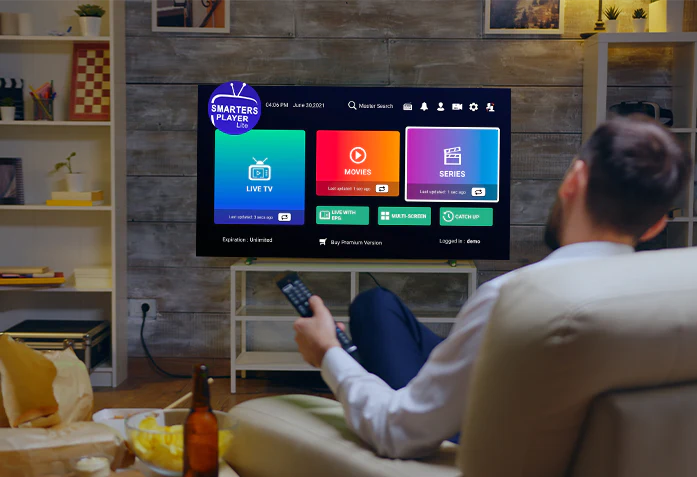
The iptv smarters pro apk interface is one of the most popular out there. Unlike some IPTV players that are too basic or too complicated, Smarters Pro offers:
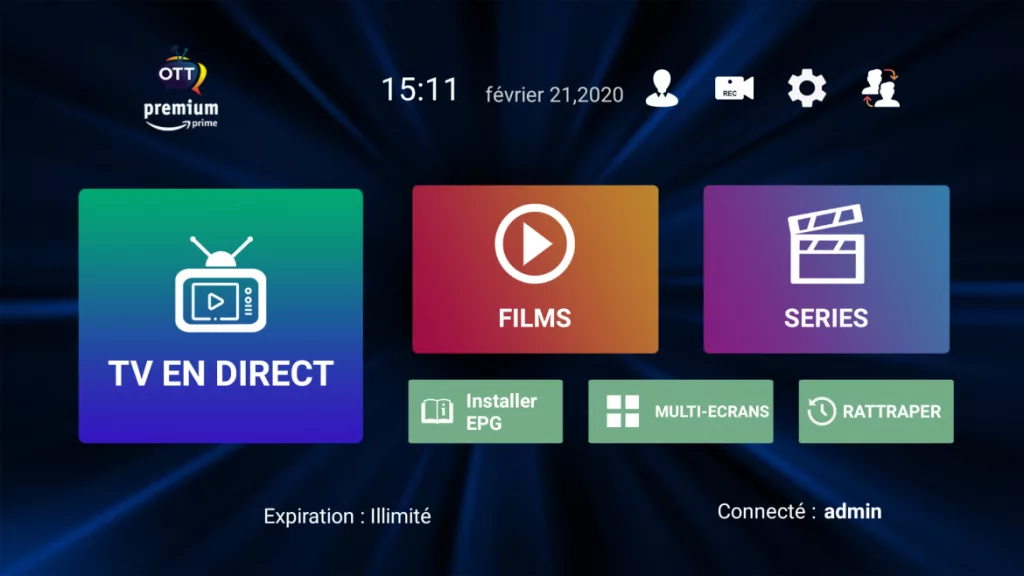
- A clear menu that separates Live TV, VOD, series, and Catch-Up.
- Custom categories to organize channels (sports, movies, news, music, adult channels, etc.).
- Smooth navigation designed for the Fire Stick remote.
- Customization options: themes, colors, cover art display, and channel logos.
👉 The result: even a beginner can install and use iptv smarters pro apk in just a few minutes.
Why Choose IPTV Smarters Pro APK Over Another App?
- Compared to Smart IPTV (SIPTV): Smarters Pro is free, while SIPTV requires a paid activation.
- Compared to TiviMate: TiviMate is excellent but limited to Android TV, while Smarters Pro also works on Fire Stick.
- Compared to IBO Player: Smarters Pro is more complete and gives you more freedom with no immediate extra fees.
How to Install IPTV Smarters Pro APK on Fire Stick
Installing IPTV Smarters Pro APK on Fire Stick is the key step to turning your Amazon device into a true IPTV player. Since the app isn’t always available directly in the Amazon Appstore, you’ll need to do a so-called “manual” installation using an APK file. Here’s the complete step-by-step guide.
Step 1 – Prepare Your Fire Stick
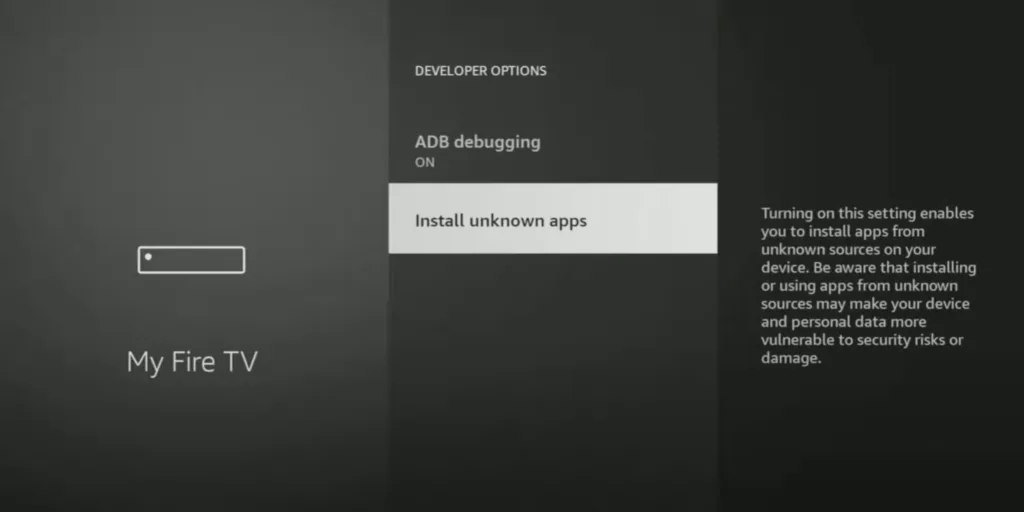
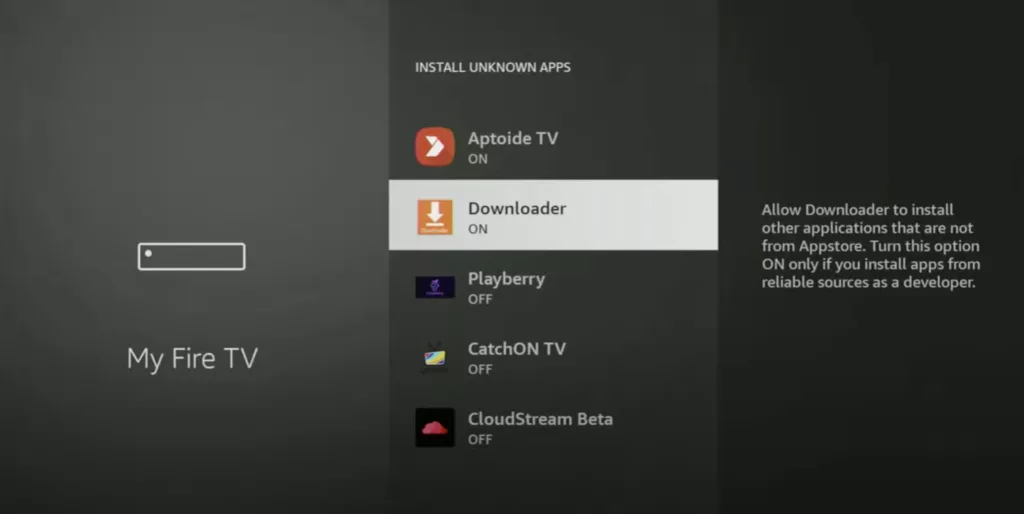
Before installing anything, you need to allow your fire stick iptv device to install apps from outside sources.
- Turn on your Fire Stick and go to Settings (the gear icon).
- Select My Fire TV (or “Device” on some versions).
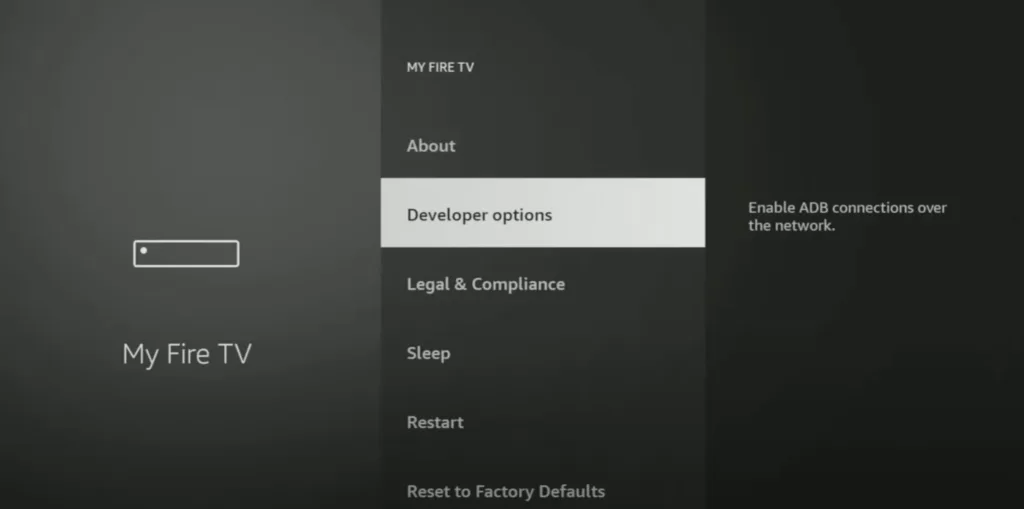
- Click Developer Options.
- Turn on Apps from Unknown Sources and ADB Debugging.
👉 This step is essential for your iptv smarters pro apk to install correctly.
Step 2 – Install the Downloader App
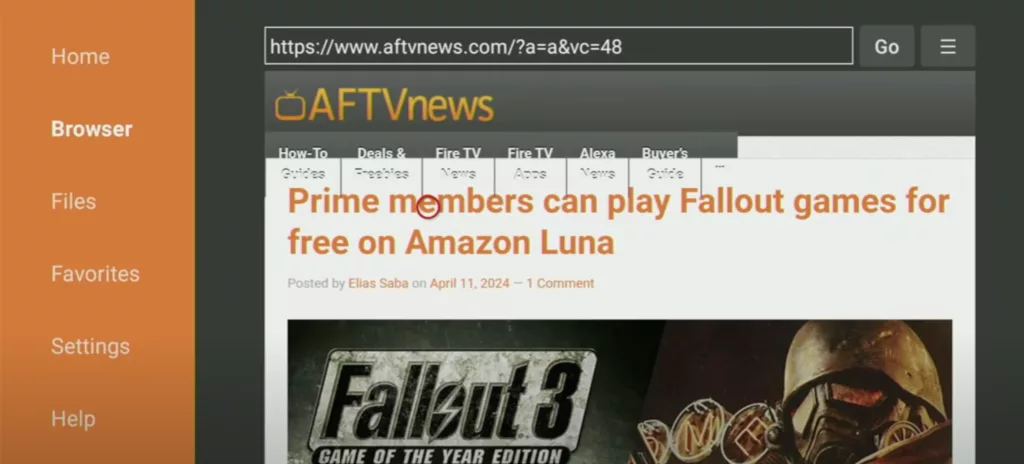
Downloader is a free app that lets you download APK files directly to your Fire Stick.
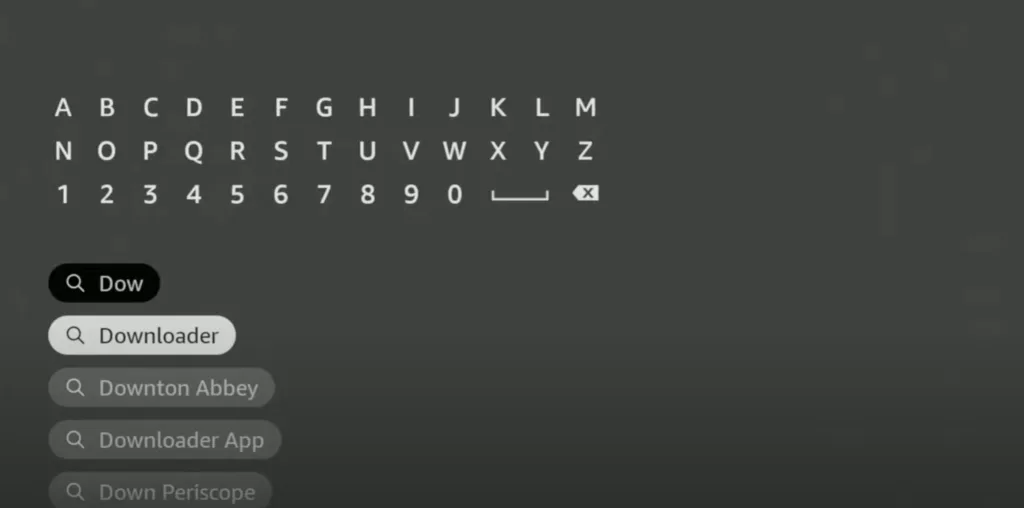
- From the Fire Stick home screen, go to the search bar.
- Type Downloader.
- Select the orange app with the arrow icon and click Download.
- Open Downloader once the installation is complete.
👉 Downloader is the go-to tool for installing APKs on an iptv fire tv stick.
Step 3 – Download IPTV Smarters Pro APK with Downloader
Now that Downloader is installed, you can grab the IPTV Smarters Pro APK.
- Open Downloader.
- In the URL field, enter the official download link for iptv smarters pro apk (for example, from the official website iptvsmarters.com).
- Click Go.
- The iptv smarters pro.apk file will start downloading.
Step 4 – Install IPTV Smarters Pro APK
Once the download is complete:
- Downloader will automatically display the APK installation screen.
- Click Install.
- Wait a few seconds for the process to finish.
- Click Open to launch the app right away, or Done to return to the home screen.
👉 Congratulations 🎉, you’ve installed iptv smarters pro apk on your Fire Stick!
Step 5 – Clean Up and Optimize
After installation, it’s a good idea to delete the APK file to free up space.
- In Downloader, click Delete after the installation.
- Confirm that you want to delete the file.
👉 This doesn’t remove the IPTV Smarters Pro app, only the installation file. Your fire stick iptv setup will run more efficiently.
Installing iptv smarters pro apk on fire stick takes just a few minutes if you follow this step-by-step guide. By preparing the device, installing Downloader, and then downloading and installing the APK, you’ve turned your Fire Stick into a complete, versatile IPTV player.
Setting Up Your Fire Stick for IPTV Smarters Pro APK
Once IPTV Smarters Pro APK is installed, you need to set up your Fire Stick IPTV properly to ensure a smooth, secure, and personalized experience. This step is often overlooked, but it’s crucial for getting the most out of the app.
1. Check Your Internet Connection
- Go to Settings > Network and make sure your Fire Stick is connected to Wi-Fi or, ideally, to an Ethernet adapter.
- Test your internet speed (at least 10 Mbps for HD and 25 Mbps for 4K).
👉 A good connection is essential to avoid buffering issues on your fire tv stick iptv.
2. Update Fire OS
An up-to-date system ensures compatibility with the latest APKs.
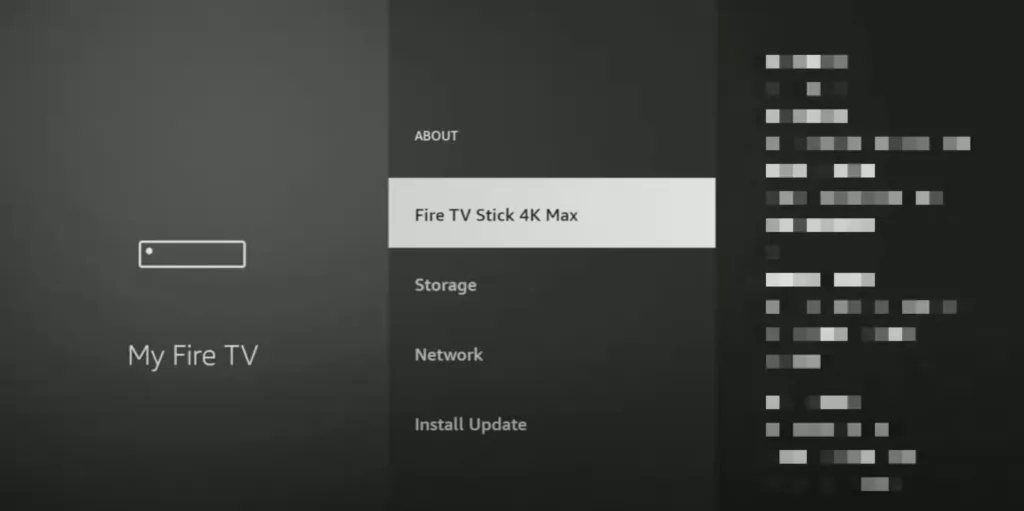
- Go to Settings > My Fire TV > About > Check for Updates.
- Install the latest updates if any are available.
👉 This prevents crashes and bugs with iptv smarters pro apk android tv.
3. Turn On Developer Options (If You Haven’t Already)
To stay compatible with third-party APKs:
- Go to Settings > My Fire TV > Developer Options.
- Make sure Apps from Unknown Sources is turned on.
- Leave ADB Debugging on to make future updates easier.
4. Install a VPN to Secure Your Fire Stick IPTV
Using a VPN is strongly recommended:
- Download a VPN (NordVPN, Surfshark, ExpressVPN) from the Amazon Appstore or via Downloader.
- Connect to a nearby server for better speeds.
- Turn on the VPN before launching IPTV Smarters Pro.
👉 This protects your privacy and gets around any blocks from your internet provider.
5. Optimize Performance Settings
- Turn off unnecessary background apps.
- Free up storage space by deleting downloaded APKs.
- Go to Settings > Applications > Manage Installed Applications, then Clear Cache regularly.
👉 This helps iptv smarters pro apk run faster and more reliably.
⚡ Conclusion
By setting up your Fire Stick IPTV correctly, you maximize the stability and smoothness of IPTV Smarters Pro APK. Between your internet connection, updates, a VPN, and optimization, your device is ready for a 100% high-performance IPTV experience.
Setting Up IPTV Smarters Pro on Fire Stick
Once iptv smarters pro apk is installed on your Fire Stick IPTV, you need to add your IPTV login details and customize the app to take full advantage of its features. This step determines the quality of your experience: available channels, loading speed, and how your content is organized.
Add an M3U Playlist
One of the easiest ways to set up IPTV Smarters Pro APK is to add an M3U playlist.
- Launch the IPTV Smarters Pro app on your Fire Stick.
- Click Add New User.
- Choose the Load Your Playlist (M3U) option.
- Enter a name for your playlist (e.g., My IPTV Fire Stick).
- Paste the M3U URL from your IPTV provider.
- Click Add User and let the system load your channels.
👉 The result: all your live TV channels, movies, and series will appear organized by category (sports, movies, documentaries, adult IPTV channels, etc.).
💡 Tip: if you received an M3U file instead of a link, transfer it to your fire stick iptv device using a USB drive or an app like Send Files to TV.
Log In with Xtream Codes API
The most stable way to use iptv smarters pro apk is to log in with Xtream Codes API.
- Open IPTV Smarters Pro and click Add New User.
- Select Login with Xtream Codes API.
- Enter the details from your provider:
- Server name or URL
- Username
- Password
- Click Add User.
👉 The advantage: Xtream Codes API loads much faster than M3U, especially if your subscription includes tens of thousands of channels and VOD titles.
Set Up the EPG (TV Guide)
The EPG (Electronic Program Guide) is an on-screen TV guide that shows past, current, and upcoming programs.
- In IPTV Smarters Pro, go to Settings > TV Guide (EPG).
- Enter the EPG link from your IPTV provider.
- Turn on automatic EPG updates.
- Restart the app to apply the changes.
👉 The result: your IPTV channels on Fire Stick are displayed with their programs, just like a traditional cable box.
Customize the Interface and Manage Favorites
iptv smarters pro apk offers plenty of options to personalize your experience.
- Change the theme: customize the interface colors.
- Reorder categories: put sports, movies, or series front and center.
- Create a favorites section: add your favorite channels for quick access.
- Parental controls: handy for blocking access to adult IPTV channels.
👉 This customization makes using your fire stick iptv setup more enjoyable and tailored to your needs.
IPTV Smarters Pro APK and a VPN on Fire Stick
Why Use a VPN with IPTV Smarters Pro APK?
Even though installing iptv smarters pro apk on Fire Stick is easy, it’s strongly recommended to pair it with a VPN (Virtual Private Network). Here’s why:
- Privacy: without a VPN, your internet service provider (ISP) can monitor your IPTV streaming activity. With a VPN, your data is encrypted.
- Getting around geo-restrictions: some IPTV streams (sports, premium channels, movies) are blocked in certain regions. A VPN lets you change your IP address and access a worldwide catalog.
- Avoiding throttling: some ISPs deliberately slow down your connection when you use IPTV. With a VPN, you get around this and enjoy smooth streaming.
- Extra security: some free M3U playlists may contain risky links. A VPN acts as a protective barrier.
👉 The result: iptv smarters pro apk + a VPN on Fire Stick is the ideal combination for stable, secure use.
Best VPNs for IPTV Smarters Pro APK on Fire Stick in 2025
Here are the 3 most reliable VPNs for IPTV on Fire Stick:
- NordVPN
- Very fast and optimized for 4K IPTV streaming.
- Servers in more than 60 countries.
- Native app on the Amazon Appstore.
- Surfshark VPN
- Unlimited connections across multiple devices.
- Excellent value for the money.
- Ideal for protecting all your devices at once.
- ExpressVPN
- Ultra-fast, stable connections.
- Advanced security with AES 256-bit encryption.
- Simple, effective interface on Fire Stick.
👉 All of these VPNs are compatible with iptv smarters pro apk android tv and deliver a smooth experience.
How to Install a VPN on Your Fire Stick IPTV
Method 1: From the Amazon Appstore
- From the Fire Stick home screen, open the Amazon Appstore.
- Search for the VPN of your choice (NordVPN, Surfshark, ExpressVPN).
- Download and install the app.
- Sign in with your account details.
- Turn on the VPN connection before launching IPTV Smarters Pro.
👉 The advantage: fast, official, and automatically updated.
Method 2: Via Downloader (APK)
- Open the Downloader app.
- Type in the official APK URL for the VPN you’ve chosen.
- Download and install the VPN app.
- Sign in and turn on protection.
👉 The advantage: useful if the VPN isn’t available directly in the Amazon Appstore.
Setting Up IPTV Smarters Pro APK with a VPN
Once the VPN is active on your fire stick iptv:
- Open iptv smarters pro apk.
- Log in via M3U or Xtream Codes.
- Try different VPN servers if you experience buffering.
- Choose a server close to your location for the best speed.
👉 Tip: for sporting events (e.g., a geo-blocked game), connect to a VPN server located in the country where it’s being broadcast.

FAQ – IPTV Smarters Pro APK on Fire Stick
Is IPTV Smarters Pro APK free?
Yes, iptv smarters pro apk is free to download and install on Fire Stick. However, some advanced features like multi-screen or cloud backup require the premium version. So the app itself is free, but access to IPTV content depends on the subscription you buy from a separate provider.
Where can I download IPTV Smarters Pro APK for Fire Stick?
You don’t download it from the Amazon Appstore; you use an APK file instead. You can:
- Use Downloader and enter the official URL from iptvsmarters.com.
- Download the file on a PC and then transfer it with a USB drive.
👉 Either way, steer clear of APKs from shady websites to avoid the risk of malware.
What’s the difference between IPTV Smarters Pro APK and IPTV Smarters Player?
- IPTV Smarters Player is the official version available on the Amazon Appstore and Google Play, with basic features.
- IPTV Smarters Pro APK is the version you download manually. It’s often updated faster and includes advanced options like multi-screen, catch-up TV, and improved playlist management.
Is IPTV Smarters Pro APK legal?
Yes, the app is legal because it doesn’t host any content. iptv smarters pro apk is simply a player. Legality depends on the IPTV subscription you add to it. If you use authorized streams, you’re within the law. However, if you use unauthorized streams, that may be a problem depending on the laws where you live.
Can I install IPTV Smarters Pro APK on devices other than the Fire Stick?
Yes, the APK version is universal. You can install it on:
- Android TV (Xiaomi Box, Nvidia Shield, Mecool, etc.).
- Android smartphones and tablets.
- PC and Mac using an emulator like BlueStacks.
👉 This versatility is what makes iptv smarters pro apk android tv so popular.
How do I add an M3U playlist in IPTV Smarters Pro APK?
- Open the app.
- Click Add New User.
- Select M3U Playlist.
- Enter a name for the playlist and paste the link from your provider.
- Confirm and let the channels load.
👉 Within minutes, your fire stick iptv will display your channels organized by category.
What is Xtream Codes API in IPTV Smarters Pro APK?
It’s a login method that’s faster and more stable than M3U. You simply enter:
- A URL (server).
- A username.
- A password.
👉 The result: your IPTV channels load faster and the experience is smoother, especially on a fire tv stick iptv.
Is IPTV Smarters Pro Premium APK worth it?
Yes, if you want the advanced options:
- Multi-screen (watch several channels at once).
- Catch-Up TV (rewatch past programs).
- Enhanced VOD (with cover art and details).
- Parental controls (block certain channels, such as adult IPTV channels).
👉 For family or heavy use, the premium version of iptv smarters pro apk is an excellent investment.
How do I fix buffering issues in IPTV Smarters Pro APK?
- Make sure your connection is at least 10 Mbps (HD) or 25 Mbps (4K).
- Use a wired Ethernet connection via an adapter instead of Wi-Fi.
- Use a VPN to get around your ISP’s limits.
- Delete and reload your playlist in the app.
👉 Buffering is the most common problem, but it’s almost always related to your connection or your IPTV provider.
Can I use IPTV Smarters Pro APK without a VPN?
Yes, but it’s not recommended. A VPN protects your privacy, prevents throttling, and unlocks geo-restricted channels. Without a VPN, your IP address is exposed and some streams may not work.
What’s the best alternative to IPTV Smarters Pro APK?
If you’re looking for an alternative, here are the most popular options in 2025:
- TiviMate: modern interface, ideal for Android TV.
- Smart IPTV (SIPTV): a one-time lifetime fee, but simple and stable.
- IBO Player: modern design, quick activation with a code.
👉 However, none of them offer as many free features as iptv smarters pro apk on Fire Stick.
⚡ FAQ Wrap-Up
IPTV Smarters Pro APK is still the best way to install and set up a full-featured IPTV player on Fire Stick in 2025. With universal compatibility, premium options, and a simple APK installation, it’s users’ number-one choice.